
Features
Windows games at full tilt. Right on your Mac.
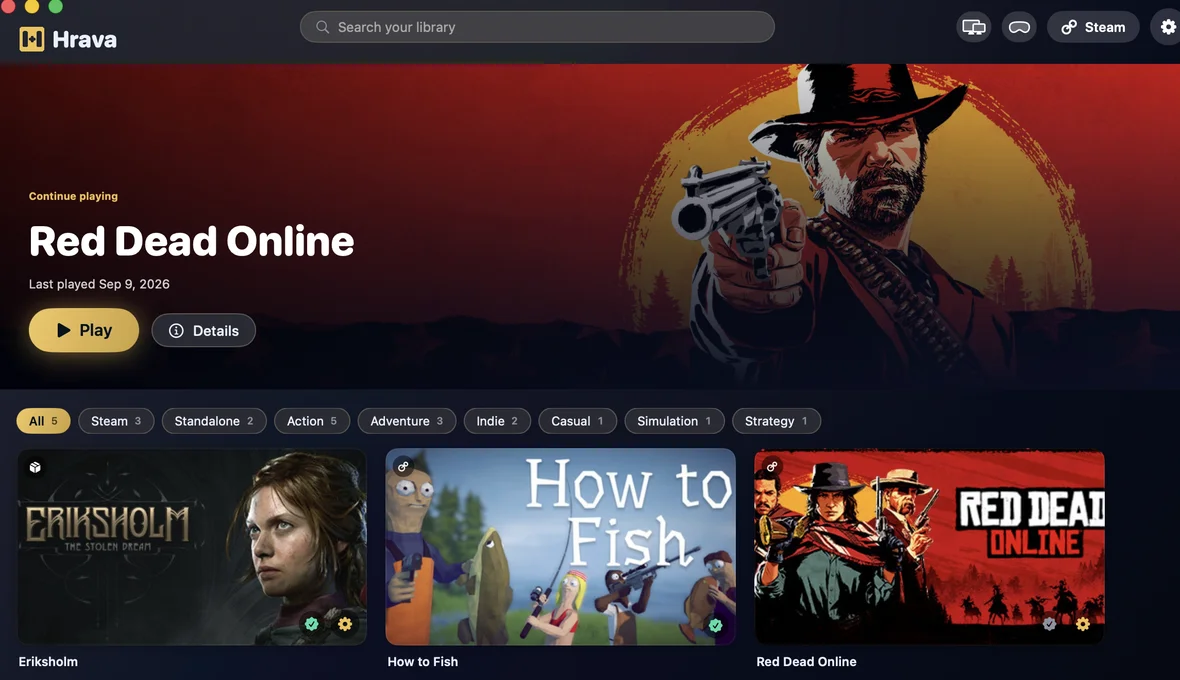
Hrava translates a game's DirectX calls into Metal commands for your GPU - the game runs right on your Mac, no cloud, no middlemen. Over 2,300 games verified by hand, and Hrava tunes each one automatically: engine, graphics, upscaling. Install and play.
Your GPU renders the frames
No Windows emulation, no video feed - DirectX 9-12 becomes Metal. The faster your chip, the higher the FPS.
Your games - from anywhere
Sign in to Steam and get your whole collection. Or install a game straight from its setup file - Steam optional.
Gamepads & offline
Xbox, DualSense or any Bluetooth controller works instantly. No internet needed to play - game anywhere.
What else is inside
Game translations, your language
Pick the game's language right in Hrava - even if the game never shipped it. New translations roll out continuously. No alternative has this.
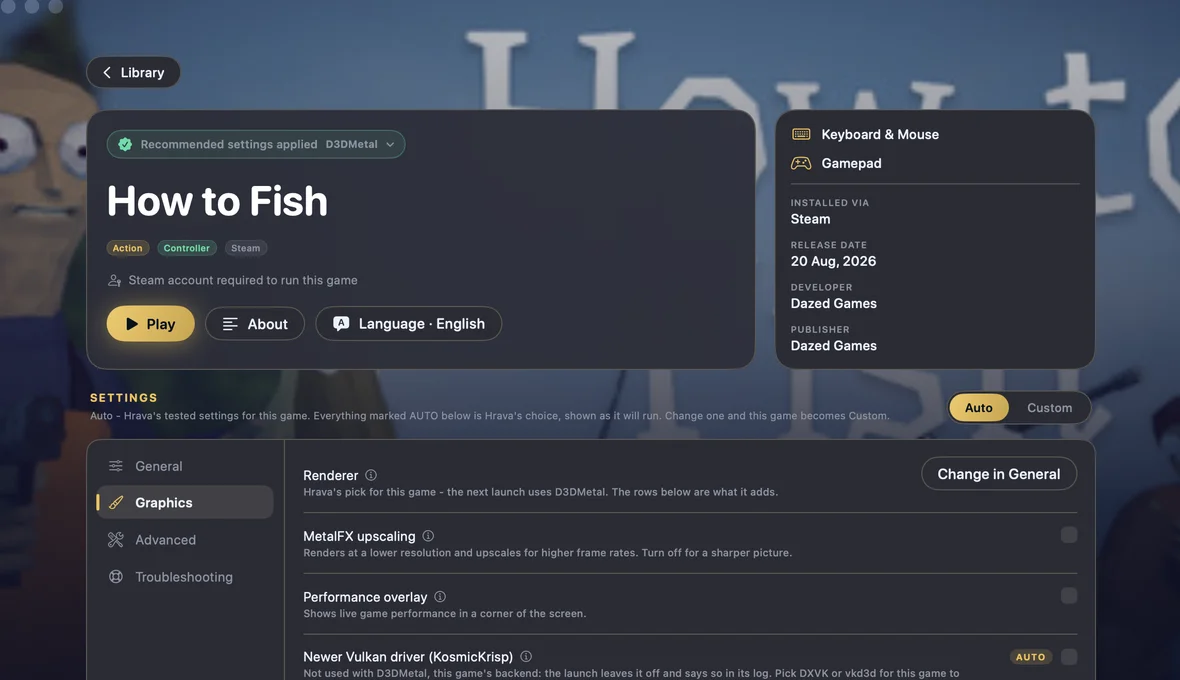
MetalFX upscaling
Apple's own scaler: the game renders at a lower resolution while your screen gets a sharp image and extra frames.
New releases, fast
When a big title drops, we prepare its setup immediately - it lands in the catalog within days, not months.
Games as standalone apps
Pin any game as its own icon in the Dock or Launchpad - launch it with one click, without opening Hrava.
Updates itself
Hrava finds and installs new versions automatically - verifying Apple's signature. You are always on the latest build.
A big screen in your VR headset
Hrava streams the game from your Mac to the headset browser - up to 1080p60, over Wi-Fi, PIN-protected. Play with a gamepad, keyboard or mouse. It is a big virtual screen, not a stereoscopic VR mode - the game stays a normal game. How it works
Add-ons and AI features
We keep building on Hrava: new AI features and free add-ons land regularly. Everything switches on right in the app, under Settings - Add-ons. See add-ons
Restore points
Everything running perfectly? Save a snapshot of a game's setup - and roll back after any experiment.
Hrava tunes everything itself
Every game at its best
Engine, DXVK/vkd3d, upscaling - Hrava picks it per game, for you. You just hit Play.
Install Hrava and play today
First, check your game in the catalog - then run it on your Mac today.
Get Hrava Check your game